Introduction
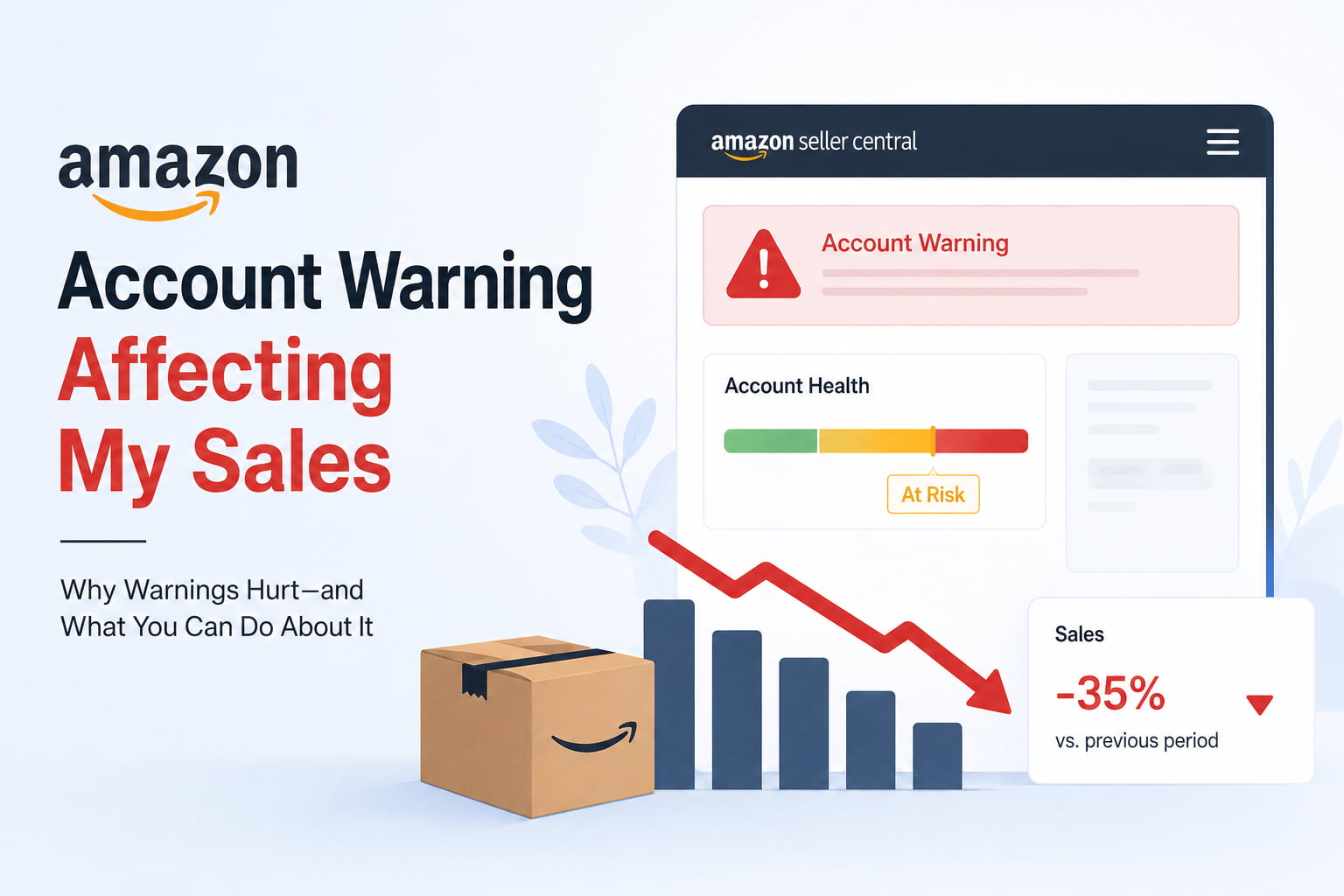
You logged into Seller Central, and there it was. A warning notification sits in your account health dashboard.
Maybe it was a policy violation flag. Maybe it was a performance metric that crossed a threshold. Maybe it was a customer complaint you didn’t even know was coming. Whatever triggered it, the warning is there, and if your sales have dipped around the same time, the two things are almost certainly connected.
If your Amazon account warning is affecting your sales and you’re not sure what to do about it, this page walks through exactly how warnings impact your listings and visibility, what the different warning types mean, and the right sequence to resolve each one before the situation escalates.
How an Amazon Account Warning Actually Affects Your Sales
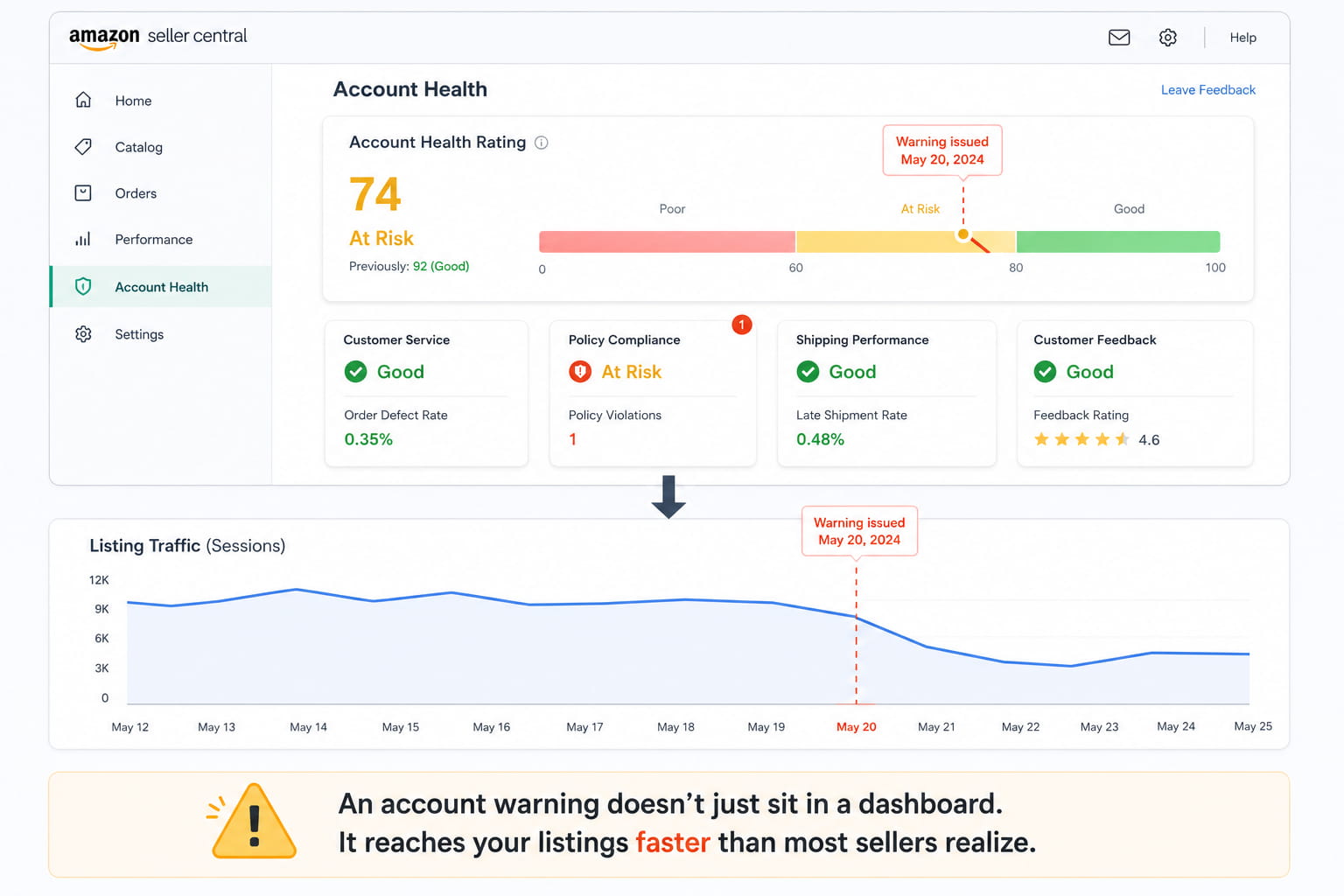
Most sellers think of an account warning as an administrative problem, something to deal with through the right paperwork that sits separately from their day-to-day sales performance. That’s not how it works.
Amazon’s platform connects Amazon account health directly to listing visibility, Buy Box eligibility, and advertising access in ways that start affecting sales before any formal restriction is applied. Here’s what happens at each stage:
When your Amazon account health rating drops into the At Risk zone due to a warning or policy violation flag, Amazon’s systems begin applying reduced visibility to your listings in search results. It’s not an announced suppression. It’s a quiet de-prioritization that shows up as declining sessions and impressions before it shows up as a formal restriction.
Buy Box eligibility is affected more directly. Amazon’s Buy Box algorithm factors account health metrics into its eligibility calculation. A seller with active policy violation flags has reduced Buy Box eligibility compared to a clean account, even at the same price and with the same fulfillment method. If you share ASINs with other sellers or have variations, this Buy Box impact can be immediate and significant.
PPC access can also be restricted in some account health scenarios. If your Amazon seller account warning relates to certain policy categories, advertising privileges can be limited or suspended while the violation is unresolved, which cuts off your primary traffic source at exactly the moment your organic visibility is already declining.

Why You Received an Amazon Account Warning – The Real Causes
Amazon seller account warnings fall into two broad categories: performance-based warnings and policy-based warnings. Each type has different resolution requirements and different timeframes before escalation to suspension risk.
Performance-Based Warnings – Your Metrics Crossed a Threshold
Amazon tracks a set of seller performance metrics continuously. When any metric crosses Amazon’s minimum acceptable threshold, a performance warning is triggered. The key metrics:
- Order Defect Rate (ODR): negative feedback rate, A-to-Z claim rate, and credit card chargeback rate combined. Amazon’s threshold is below 1%. Crossing it triggers an immediate warning.
- Late Shipment Rate: the percentage of orders that shipped after the expected ship date. The threshold is below 4% for most seller accounts.
- Pre-Fulfillment Cancellation Rate: orders cancelled by the seller before shipment. The threshold is below 2.5%.
- Valid Tracking Rate: for non-FBA sellers, the percentage of shipments with valid tracking uploaded on time.
Performance warnings in these categories are data-driven and don’t require a buyer complaint to trigger. If your fulfillment process had a bad week, the metrics can cross thresholds and generate warnings automatically.
Policy-Based Warnings — A Compliance Flag Was Raised
Amazon policy violations generate a different type of warning that lives in the Policy Compliance section of your Account Health dashboard. Common triggers:
- An intellectual property complaint filed by a brand owner or rights holder against one of your listings
- A product authenticity complaint from a buyer or Amazon’s authenticity verification system
- A listing policy violation detected by Amazon’s automated compliance scanner (restricted keywords, prohibited claims, category-specific content issues)
- A suspected review manipulation flag on one of your ASINs
- A safety complaint related to a product in your catalog
Policy violation warnings are more serious than performance warnings in most cases because they involve specific allegations rather than metrics. Each one requires a targeted response that addresses the specific complaint rather than a general account improvement plan.
Repeated Warnings Compounding Into a High Suspension Risk
A single warning, resolved quickly with the correct response, rarely escalates into a serious account threat. The problem is when multiple warnings accumulate without resolution, or when the same type of warning recurs after an initial resolution.
Amazon’s Account Health Rating system scores your account numerically. A score above 200 is in the Good zone. Between 100 and 200 is At Risk. Below 100 is Critical. Each unresolved warning reduces your score. Multiple simultaneous warnings can push an account from Good to Critical faster than sellers expect, and a Critical rating triggers Amazon’s account deactivation review process.
The most important thing to understand about Amazon seller performance metrics and warnings is that the clock starts the moment the warning is issued, not the moment you notice it. Amazon sets response deadlines on performance notifications, and missing those deadlines accelerates the escalation timeline significantly.
What an Amazon Account Health Problem Is Costing You Right Now
The financial impact of an unresolved account warning scales with how long it goes unaddressed.
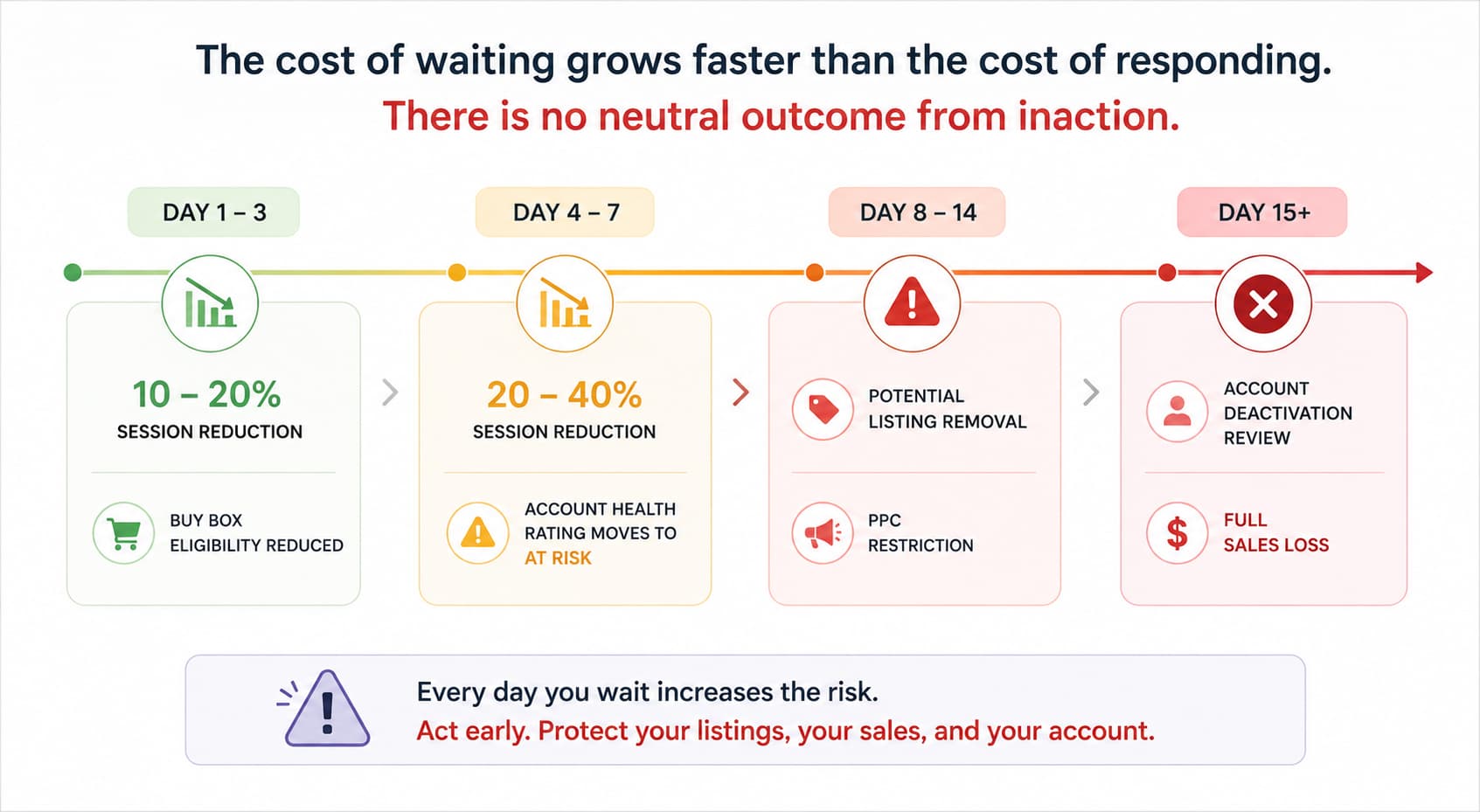
In the first 24 to 72 hours, the impact is primarily reduced Buy Box eligibility and mild listing de-prioritization. For most sellers, this means a 10 to 20% reduction in sessions as Amazon quietly reduces impression share for flagged accounts.
By day 7, if the warning remains unresolved, the session impact typically deepens, and the Account Health Rating may have moved into the At Risk zone. At Risk status further reduces Buy Box eligibility and can trigger PPC restrictions depending on the violation type.
By day 14 to 21 of an unresolved serious policy violation, Amazon can move to listing removal or account suspension review. At that point, the sales impact is 100%, not a percentage reduction, and the recovery process becomes significantly more complex and time-consuming than it would have been with an immediate response.
STAT TO VERIFY: Amazon sellers who respond to account health warnings within 48 hours with a documented Plan of Action resolve the issue without listing removal at a significantly higher rate than sellers who delay response beyond 7 days.
How to Fix an Amazon Account Warning — The Right Sequence
The correct response sequence depends on whether you’re dealing with a performance warning or a policy violation warning. Sending the same generic response to both types is one of the most common reasons warnings escalate.
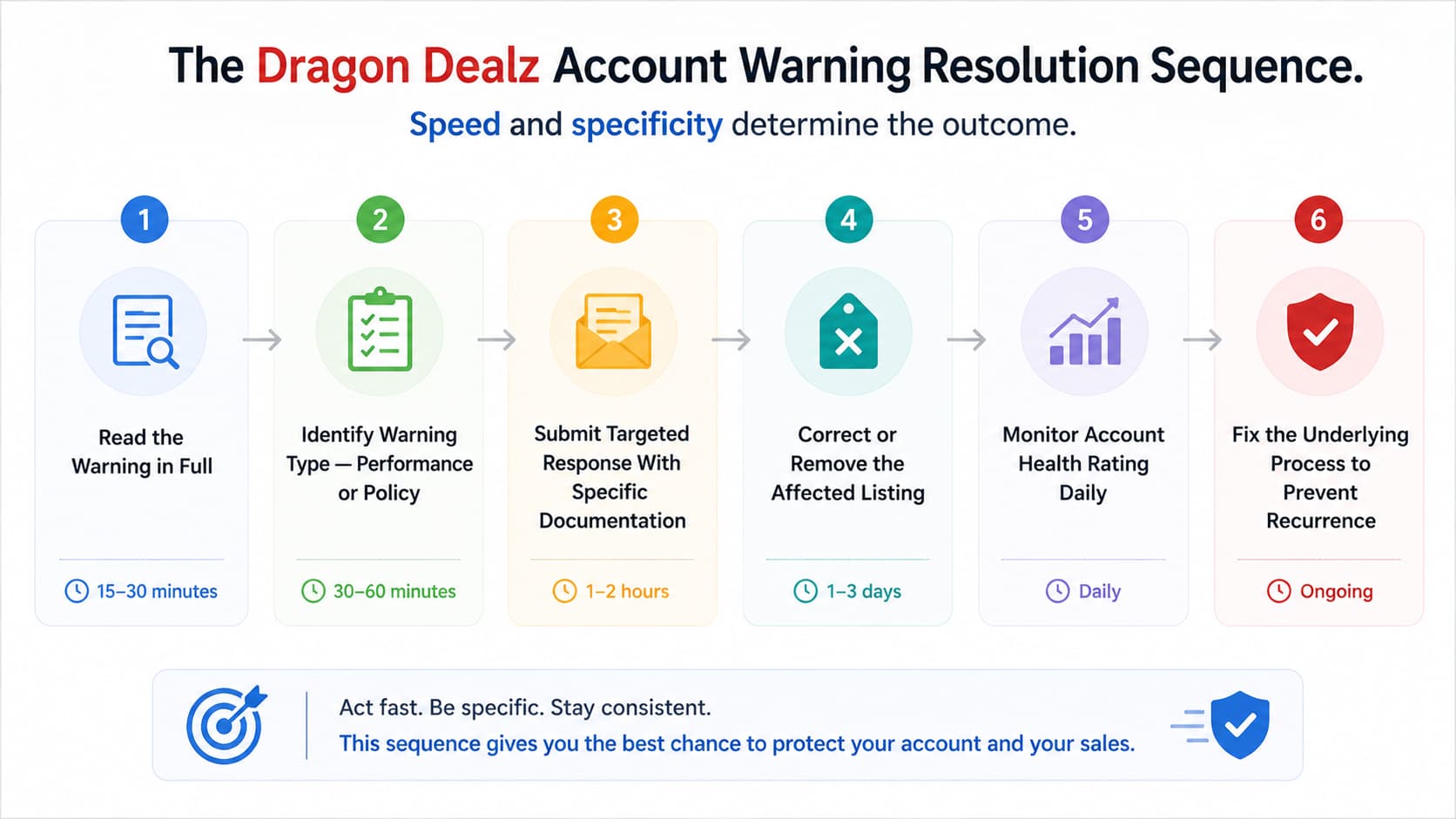
Step 1 – Read the Warning in Full Before Responding to Anything
Go to Seller Central. Open Account Health. Read every active warning in full, including the linked policy documentation. Note the specific violation type, the ASIN affected if applicable, the deadline for response if one is stated, and whether the warning is in the Performance Notifications section or the Policy Compliance section.
Do not respond before you fully understand what Amazon is specifically alleging. A response that addresses the wrong issue or misidentifies the violation type is treated as a non-response by Amazon’s review team and restarts the escalation clock.
Step 2 – Respond to Performance Metric Warnings With Root Cause Analysis
For Amazon account performance warnings related to Order Defect Rate, Late Shipment Rate, or Cancellation Rate, Amazon requires a Plan of Action (POA) that covers three elements:
- The root cause of why the metric crossed the threshold
- The immediate corrective actions have already been taken to stop further violations
- The preventive measures are being implemented to ensure the issue doesn’t recur
Amazon’s review team reads hundreds of these responses. Vague responses like “we will improve our processes” are rejected. Specific responses like “we identified that three orders shipped late due to a carrier pickup failure on [date] and have switched to a backup carrier with same-day collection to prevent recurrence” are accepted.
Be factual. Be specific. Show that you understand exactly what caused the metric violation and have already taken concrete action to fix it.
Step 3 – Respond to Policy Violation Warnings With Documentation
Amazon compliance issues in the Policy Compliance section require a different type of response. Each violation type has a specific documentation requirement:
- Intellectual property complaints: respond with either proof of authorization to sell the product (invoice from the brand or authorized distributor, letter of authorization) or a formal dispute if the complaint is incorrect
- Product authenticity complaints: provide supplier invoices showing a legitimate supply chain, business licenses, and any certificates of authenticity relevant to the product category
- Listing policy violations: remove or correct the flagged content immediately, then submit confirmation of the fix with a brief explanation of what was changed and why
For IP complaints, especially, do not attempt to dispute a complaint without documented evidence. An undocumented dispute is rejected, and the clock continues running toward escalation.
Step 4 – Remove or Correct the Affected Listing Immediately If Required
Some Amazon policy violations require the affected listing to be corrected or taken down before the appeal can be reviewed. Don’t wait for Amazon to confirm your appeal is accepted before making listing changes if the violation involves prohibited content, an IP complaint, or a safety issue.
Make the required listing change immediately after submitting your response. Include confirmation that the listing was corrected in your appeal documentation. This shows Amazon’s review team that corrective action was taken proactively rather than waiting for instructions.
Step 5 – Monitor Account Health Rating Daily Until the Warning Is Resolved
After submitting your response, check your Amazon account health rating score daily. Amazon’s review team typically responds to well-documented appeals within 24 to 72 hours for performance warnings and 3 to 7 business days for policy violation appeals.
If the score continues declining after your response, or if you receive a follow-up notification requesting additional information, respond immediately with whatever additional documentation is requested. A delayed follow-up response after a strong initial response is one of the most avoidable reasons appeals fail at the final stage.
Step 6 – Address the Underlying Operational Issue to Prevent Recurrence
Once the immediate warning is resolved, fix the process or listing issue that generated it. A warning that recurs within 60 days of the initial resolution carries significantly more weight in Amazon’s account review process and is treated as a pattern rather than an isolated incident.
If the warning came from fulfillment metrics, implement tracking and quality checks on the specific metric that failed. If it came from a listing compliance issue, audit your full catalog against current policy requirements in that category. If it came from an IP complaint, review your supplier documentation for every ASIN in that category.
What Most Sellers Get Wrong When Responding to Amazon Policy Violations
They Send Generic Plans of Action
The single most common reason account warning appeals are rejected is a Plan of Action that reads like a template. Amazon’s review team reviews these responses daily and immediately recognizes language that doesn’t demonstrate genuine understanding of the specific issue.
Your POA needs to name the specific metric or policy that was violated, explain the specific operational or listing issue that caused it, describe the specific actions already taken, and detail the specific process changes being implemented. Generic language at any of those four points weakens the entire response.
They Dispute Legitimate Complaints Without Documentation
Sellers who receive IP complaints or authenticity complaints sometimes respond by disputing the allegation without providing any supporting documentation, relying on the assertion that they are selling a legitimate product. Amazon’s team requires documentation, not assertions. A dispute without evidence is functionally identical to no response at all.
If you have legitimate supplier invoices and authorization documentation, provide them immediately. If you don’t have them, contact your supplier before responding to get them. A short delay to gather proper documentation produces a far better outcome than a fast, undocumented dispute.
FAQs
account warning
Either a performance metric crossed Amazon’s minimum threshold or a policy compliance issue was flagged on one of your listings. Check your Account Health dashboard for the specific category and ASIN involved.
Yes. Warnings reduce Buy Box eligibility, decrease listing visibility in search, and can restrict PPC access – all of which impact sales before any formal suspension occurs.
Most performance warnings have a stated response deadline in the notification. Policy violation warnings should be responded to within 48 hours, regardless of whether a deadline is stated.
Specific root cause, specific corrective actions already taken, and specific preventive measures being implemented. Vague or generic language is consistently rejected.
Yes, but only with documented evidence supporting your dispute. An undocumented dispute is treated as a non-response and does not stop the escalation timeline.
An Account Warning Is Not a Dead End – But It Needs the Right Response Right Now
An Amazon account warning handled quickly and correctly rarely escalates into a listing removal or account suspension. The same warning handled slowly or incorrectly almost always does.
Read the warning in full before responding. Identify the type: performance or policy. Build a specific, documented response that addresses the exact issue Amazon flagged. Correct the affected listing immediately. Monitor your Account Health Rating daily until the warning is resolved. Then fix the underlying process to make sure it doesn’t come back.
Getting this right in the first 48 hours costs a few hours of focused work. The cost of getting it wrong – or waiting – is days or weeks of declining sales, reduced visibility, and a recovery process that gets more complex the longer the warning sits open.
If you’d rather have someone who handles these cases regularly manage the response and documentation from start to finish, Dragon Dealz is ready.